
Follow this guide if you have received an email invitation to join ChainTraced from a colleague or from ChainTraced, and your company account already exists.
Find the invitation email
If you have been invited by a colleague or an administrator from ChainTraced, you will receive an email with the subject line:
[Inviter’s name] has invited you to join ChainTraced!
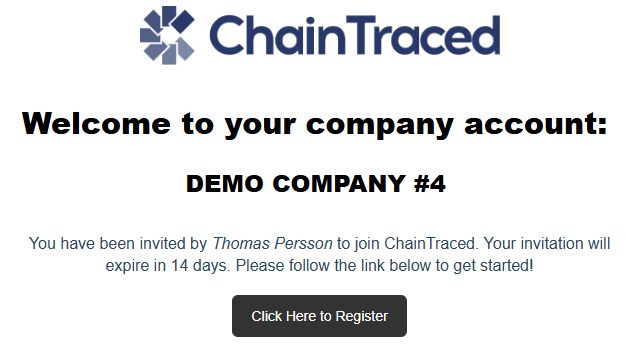
The email will include:
-
Your company account name
-
The name of the person who created the invitation
-
A registration button
The email looks similar to this:
If you cannot find the email
If the invitation is not in your inbox:
-
Check your Junk or Spam folder.
-
Contact your IT department to ensure that the domain
chaintraced.comis not blocked. -
If you still cannot find the email, contact ChainTraced Support at
support@chaintraced.com.
Register your user account
Once you have located the invitation email:
-
Click Click Here to Register in the email.
-
On the registration page:
-
Enter your first name and last name.
-
Read and accept the Terms and Conditions.
-
-
Click Sign up.
You will then receive a second email with a link to verify your email address and create a password.
Verify your email and set a password
-
Open the verification email you received.
-
Click the verification link in the email.
-
Create and confirm your password by following the on-screen instructions.
After you complete these steps, your user account is created.
Log in to ChainTraced
You can now log in to ChainTraced at:
Use your registered email address and the password you just created.
Related articles
Setting up multi-factor authentication
Account setup and company settings