Home page
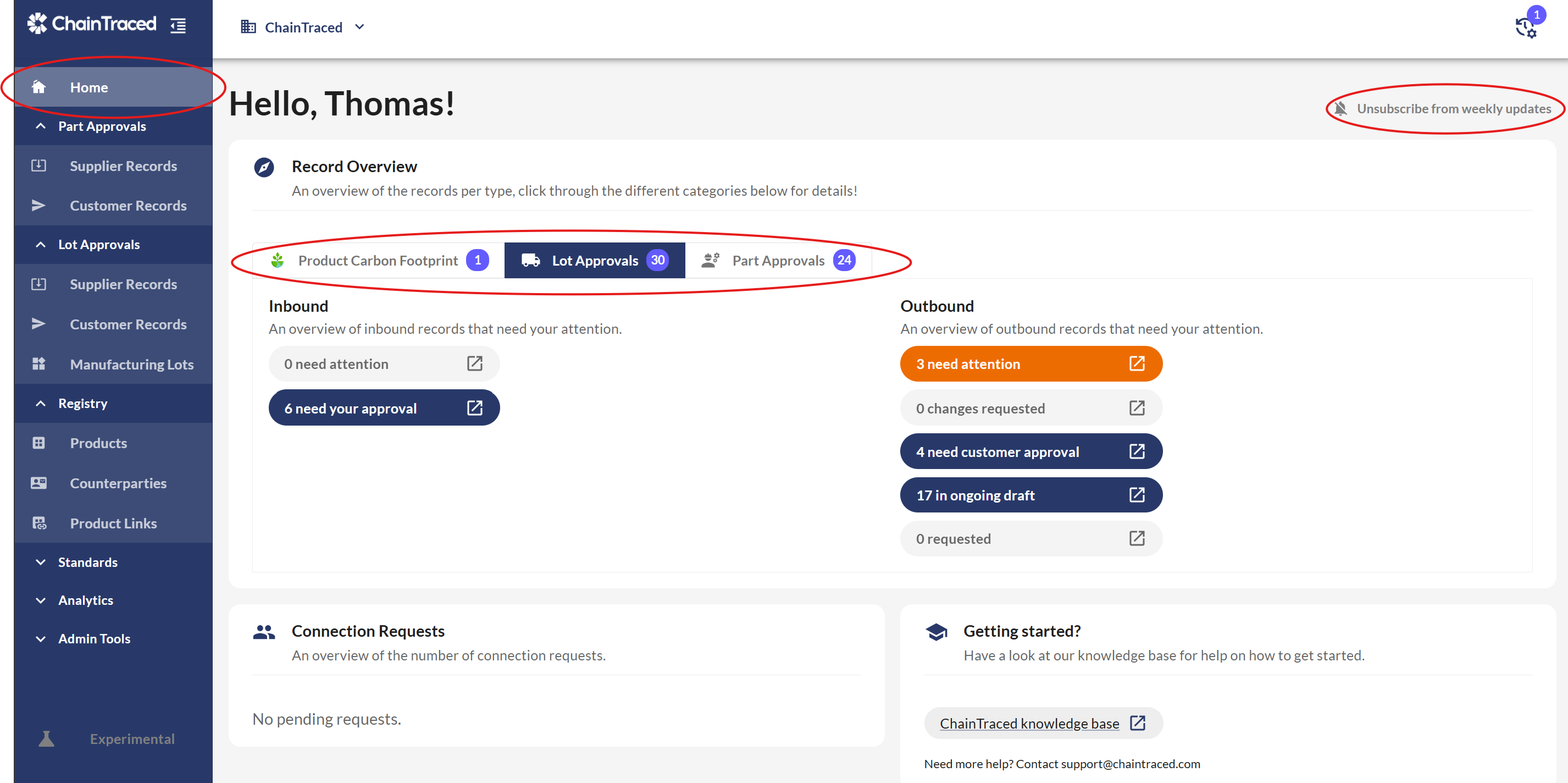
When you enter the platform, you will see the Home Page, which provides an overview of various records and their statuses. You can return to the Home Page at any time by clicking Home in the side menu.
There are 3 tabs, one for each module in ChainTraced. Each tab lists the open records in your company.
Each week on Mondays, you will receive and email with the status or the Home page. You can Unsubscribe to this email in the top right corner.
Menus
You navigate through the platform in the side menu. Part Approvals contains Initial Sample and Product Carbon Footprint records, and Lot Approvals has quality certificates and other lot related data.
Supplier records refer to data that you have requested or receive from your suppliers, while Customer records are records related to your customers.
The Production section refers to Manufacturing lots created within your company.
Registry is where you can find and create Products and Counterparties.
Filtering
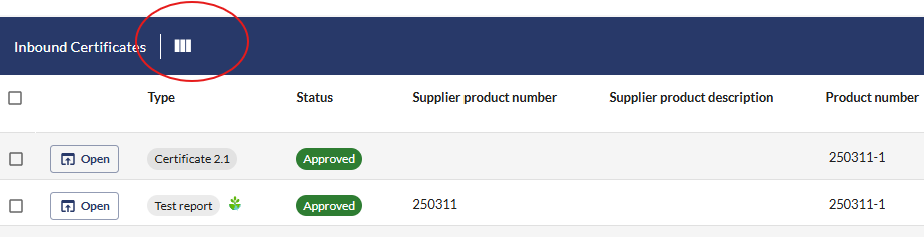
In all list-views in the menu, you can search and filter on the presented fields. You can select which Columns to view by clicking the three vertical bars highlighted below.